Drone Laws guide · Source-reviewed article
Who needs TRUST and how to complete it through an FAA-approved administrator
Learn when recreational drone flyers need TRUST, how to use the FAA-approved administrator list, what proof to keep, and what TRUST does not authorize.
TRUST is the Recreational UAS Safety Test for people who intend to fly under the limited recreational exception. It is a knowledge and safety requirement for that recreational pathway, not a broad drone license, not Part 107 certification and not permission to fly in a specific place.
The practical workflow is narrow: confirm that you are evaluating a recreational operation, use the current FAA TRUST page to choose an FAA-approved administrator, complete the test through that administrator, keep proof, and then continue every separate flight check that still applies. Drone Home does not decide your legal status, choose a provider for you, submit a test, store proof or clear a flight.
Concise answer: If you are flying under the limited recreational exception, use the FAA's current TRUST page and approved-administrator list, complete TRUST through an approved administrator, and keep proof available. TRUST does not replace Part 107, registration, Remote ID, airspace authorization, operating rules or location-specific checks.
Key takeaways
- TRUST is tied to the limited recreational exception. It is not Part 107 certification.
- Do not decide recreational status from compensation alone. Purpose can be fact-sensitive.
- Use the current FAA-approved administrator list. Drone Home does not rank or recommend providers.
- The current FAA TRUST page supports a no-cost online TRUST path through approved administrators.
- Keep proof available for presentation when required.
- If proof is lost, follow the current FAA statement to retake TRUST; do not assume every administrator offers a replacement process.
- TRUST is not flight permission. Other federal, airspace, operating and local takeoff or landing checks may still apply.
1. Start with recreational purpose, not a payment shortcut
TRUST belongs to the limited recreational flyer pathway. Current FAA and statutory materials point first to 49 U.S.C. Section 44809, the FAA TRUST page, FAA recreational-flyer guidance and active FAA advisory-circular status for the recreational framework.
Do not reduce the question to whether money changed hands. A flight can be outside the recreational pathway even if it is unpaid, and this article does not classify borderline facts. If the purpose is not purely recreational, or if you are flying for a business, organization, work assignment, public function, research task, monetized media project or another non-recreational objective, review the Part 107 pathway instead of treating TRUST as enough.
If you are unsure which pathway applies, stop before choosing a test provider. Use current FAA guidance or qualified advice for the operating context. Drone Home can explain the public-source boundary, but it cannot decide whether your specific operation qualifies for the limited recreational exception.
2. Understand what TRUST does and what it does not do
TRUST is a safety and knowledge test for recreational flyers. FAA TRUST guidance supports using it to understand recreational flyer obligations and to produce proof that the recreational flyer completed the required test.
That is a limited role. TRUST does not certify you as a Remote Pilot under Part 107. It does not authorize a flight in controlled airspace. It does not approve a stadium, event, park, private-property or local takeoff location. It does not prove that a drone is registered, that Remote ID applies or does not apply, that a specific aircraft configuration is compliant, or that weather, people-overflight, night, altitude, TFR, CBO-guideline or mission-specific requirements are satisfied.
Treat TRUST as one required recreational-path step. It sits beside other checks, not above them.
3. Use the current FAA-approved administrator list
The FAA TRUST page is the controlling place to begin because the administrator list can change. Use that page to see the current FAA-approved administrators, then choose a provider yourself.
Drone Home does not rank administrators, recommend one provider, receive a referral payment, track availability, operate a course, troubleshoot accounts or complete the test on your behalf. A provider's own website may describe its current interface, but provider pages do not replace the FAA list for administrator status and do not become legal authority for this article.
For the reader experience, keep the provider-selection step simple and source-first. Send readers to the FAA TRUST page, tell them the FAA list controls current administrator status, and stop there. Do not mirror the list into static article copy without a dated update plan, because a copied list can become stale faster than the article itself.
This also protects neutrality. If Drone Home names one provider in body copy and omits another, the page can start to look like an endorsement even without an affiliate link. The approved editorial position is provider-neutral: use the official FAA list, choose any listed administrator, and verify current instructions on that administrator's own site.
Because the list is a current-state dependency, recheck it on every 30-day review cycle. If the FAA page or list changes materially, update this article before keeping the provider-selection wording live.
4. Complete TRUST through an FAA-approved administrator
The current FAA TRUST page supports an online TRUST completion path through FAA-approved administrators and a no-cost boundary for approved TRUST administration. The older FAA industry page is useful only as background; the current FAA TRUST page and list control current administrator status and user-facing direction.
Use the administrator's current instructions, but keep the claims modest. This guide does not state a completion time, difficulty level, pass rate, number of questions, scoring rule, interface flow, account requirement or guaranteed certificate format. Those details are provider-specific, volatile or not established by the FAA TRUST pages cited here.
Do not copy test questions into this page. Explain where to go and what proof to keep, not reproduce a test bank or simulate completion.
The safe reader CTA is therefore not "take the test here." It is "open the current FAA TRUST page and choose an FAA-approved administrator." This page does not embed a provider form, deep-link directly into a course flow, collect completion information, ask the reader to upload proof, or create any interaction that could be mistaken for a test or certificate service.
If an administrator's site changes after publication, rely on the FAA list and preserve the no-support boundary. If the FAA changes the no-cost, delivery or proof wording, update the page before continuing to send readers through the workflow.
TRUST completion and proof checklist
- Confirm that the operation is intended to use the limited recreational exception, without relying on compensation alone.
- Use the current FAA TRUST page and approved-administrator list.
- Choose an FAA-approved administrator without treating Drone Home as recommending a provider.
- Complete TRUST through the current online administrator path at no cost under the accepted source boundary.
- Save or print proof and keep it available for presentation when required.
- If proof is lost, follow the current FAA statement to retake TRUST rather than expecting a universal replacement process.
- Continue separate registration, Remote ID, airspace and operating-rule checks.
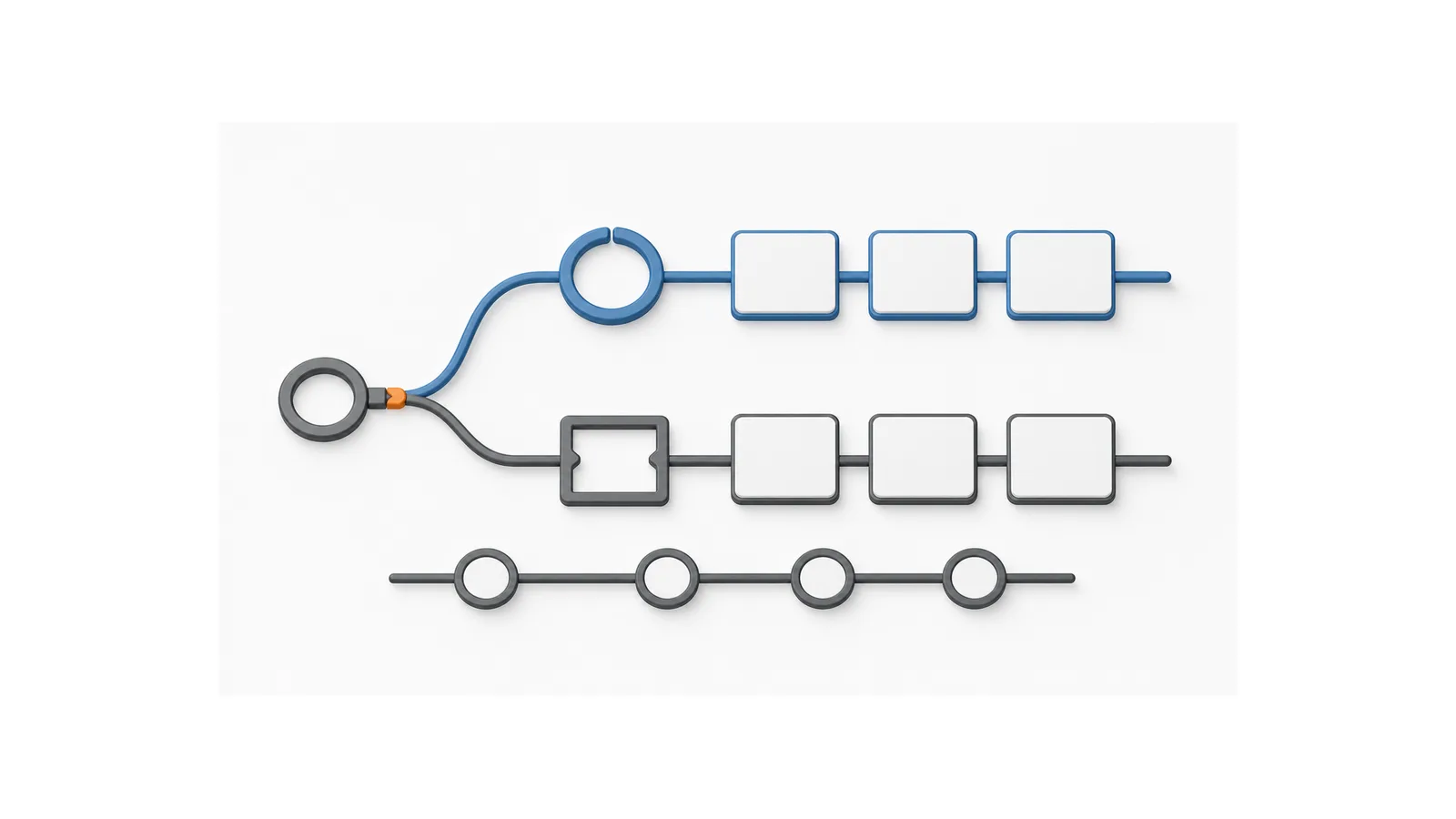
Checklist sequence for purpose check, approved-administrator selection, TRUST completion, proof retention, loss handling and remaining requirements.

5. Keep proof and know the loss boundary
After completing TRUST, keep proof available in the form the current FAA guidance recognizes. FAA guidance supports paper or electronic proof carriage and presentation boundaries, but the page should preserve FAA wording rather than inventing a new document standard.
If proof is lost, use the current FAA statement to retake TRUST. Do not promise that every administrator can recover, reissue or verify a previous proof record. This page does not provide account support, replacement support or administrator-specific troubleshooting.
FAA guidance does not state a routine TRUST expiration or recurrent interval in the checked materials. Do not convert that into a "lifetime certificate" promise. Use the safer wording: keep proof, and recheck current FAA guidance if the TRUST page, recreational guidance or administrator program changes.
6. Separate TRUST from Part 107
TRUST and Part 107 answer different questions. TRUST supports the limited recreational exception. Part 107 is the FAA pathway for certificated remote pilots conducting covered non-recreational small UAS operations.
If your purpose is not recreational, use the Part 107 pathway. If you hold a Part 107 Remote Pilot Certificate but choose to fly a separate operation under the limited recreational exception, treat that recreational operation as subject to the recreational framework, including TRUST. The point is not your resume; it is the operating path you are using for that flight.
Do not use TRUST as a shortcut around Part 107. Do not use Part 107 status as a reason to skip recreational-path requirements when you are choosing to operate under Section 44809. If the purpose is mixed or unclear, resolve the status before flying.
7. Continue the remaining flight checks
TRUST is not flight permission. After TRUST, continue the separate checks that may apply to the aircraft and operation:
- Registration: verify the correct FAA registration path for the aircraft and operating context.
- Remote ID: check whether Remote ID applies and which pathway, if any, is supported by current FAA evidence.
- Airspace: check controlled airspace, LAANC availability where relevant, TFRs, NOTAM resources and event restrictions before the flight.
- Operating rules: follow the recreational framework, CBO-related guidance, altitude, visual-line-of-sight, safety and other operating requirements that apply.
- Location rules: FAA controls airspace restrictions, but local, state, tribal, territorial, venue or landowner rules may affect takeoff, landing or access.
Keep those checks visibly separate from TRUST in the layout. A useful pattern is a "TRUST complete, now check..." panel that lists the remaining categories without claiming that Drone Home has checked them for the reader. The panel should not show a completion checkmark for the flight. It should read as a handoff to current official sources and local verification, not as a clearance result.
This distinction matters for recreational flyers because TRUST is often completed before a specific flight exists. The later flight may involve a different aircraft, location, airspace class, event restriction, time of day, operating rule or local access condition. The article can teach the verification order, but it cannot convert an old TRUST proof into a live flight decision.
Before first-flight paperwork decisions, Check the recreational registration exception and keep TRUST separate from registration, Remote ID, LAANC, and flight permission.
Related reading
- Drone laws - parent hub for U.S. drone-law tasks.
- U.S. drone laws for beginners - broader beginner framework.
- Part 107 - use this pathway when the operation may not be recreational.
Sources
- FAA - The Recreational UAS Safety Test, updated 2026-06-01, checked 2026-08-10.
- U.S. House OLRC - 49 U.S.C. Section 44809, checked 2026-08-10.
- FAA - Recreational Flyers and Community-Based Organizations, updated 2026-03-18, checked 2026-08-10.
- FAA - AC 91-57D document information, issued 2025-06-24 and status Active, checked 2026-08-10.
- FAA - TRUST for Industry, updated 2022-11-14, used as background only, checked 2026-08-10.
- FAA - Become a Certificated Remote Pilot, updated 2026-06-09, used only for Part 107 pathway separation, checked 2026-08-10.
Disclaimer
This article is general information for U.S. drone flyers. It is not legal advice, not FAA guidance, not an FAA-approved test, not provider support, not a certificate service and not flight authorization. Use current FAA sources and qualified advice for your specific operation.
Sources
These sources were reviewed for this guide. Recheck current official and first-party pages before operational use.
Keep reading
Keep learning
Explore more practical guides for drone rules, equipment, software, and commercial workflows.
More Drone Laws guidesStay current
Drone Home Weekly is not accepting signups yet.
Drone Home is preparing a source-reviewed update list, but there is no approved newsletter endpoint or mailing-list processor active on this site.
No email address is accepted, transmitted, stored, logged, added to a list, or shared from this page.
Read the latest drone news